The best autumn desktop wallpaper matches your screen’s resolution and aspect ratio, includes a calm area for your icons, and uses a palette you can live with for weeks. Match those three things and almost any fall scene, from a leaf-covered path to a pixel art cabin, will look sharp instead of stretched or blurry. This guide covers the styles worth considering, the exact sizes for desktops, laptops, and phones, and how to set the image on Windows and macOS.
TL;DR
-
Check your screen resolution first. Common desktop sizes are 1920×1080, 2560×1440, and 3840×2160, and laptops often use 16:10 sizes such as 2560×1600.
-
Download the largest version available. Enlarging a small image to fit your display makes it look soft or pixelated.
-
Pick a style for the job: busy scenes look great on an empty desktop; simpler compositions work better when you keep many icons and widgets.
-
Use Fill or Fit rather than Stretch, so the artwork keeps its proportions.
-
Phones need portrait images, so desktop wallpapers rarely transfer well. Look for a set that ships in several sizes.
Table of Contents
Autumn wallpaper styles worth considering
Fall is one of the most popular wallpaper seasons because the palette does so much work for you: amber, rust, burgundy, mustard, deep green, and soft cream. What changes from one wallpaper to the next is the mood. A guide to cozy fall wallpapers sorts the field into six broad directions, and it’s a handy way to decide what you want to look at every day.
Warm and neutral
Soft oranges, beige, and cream with little detail. This is the safest choice for a work computer. Nothing competes with your windows, and the warmth is noticeable without being loud.
Rustic and traditional
Barns, wooden fences, harvest baskets, pumpkins on porches. These scenes feel familiar and nostalgic. They suit wide desktop monitors because the horizontal layout gives the landscape room.
Bookish and coffee-inspired
A steaming mug, a stack of novels, a window with rain on it. These are quiet scenes for people who spend long hours at a laptop and want a desk-like feeling on screen.
Moody and rainy
Dark skies, wet streets, fog over bare branches. Darker images also pair well with dark mode and make white icon labels easier to read.
Cute and playful
Squirrels, mushrooms, cartoon pumpkins, little ghosts creeping in for Halloween. Good for a phone lock screen or a secondary monitor.
Nature-led
Forest trails, lakes with reflected foliage, mountains with golden larches. These are classic, and they show off high-resolution displays well.
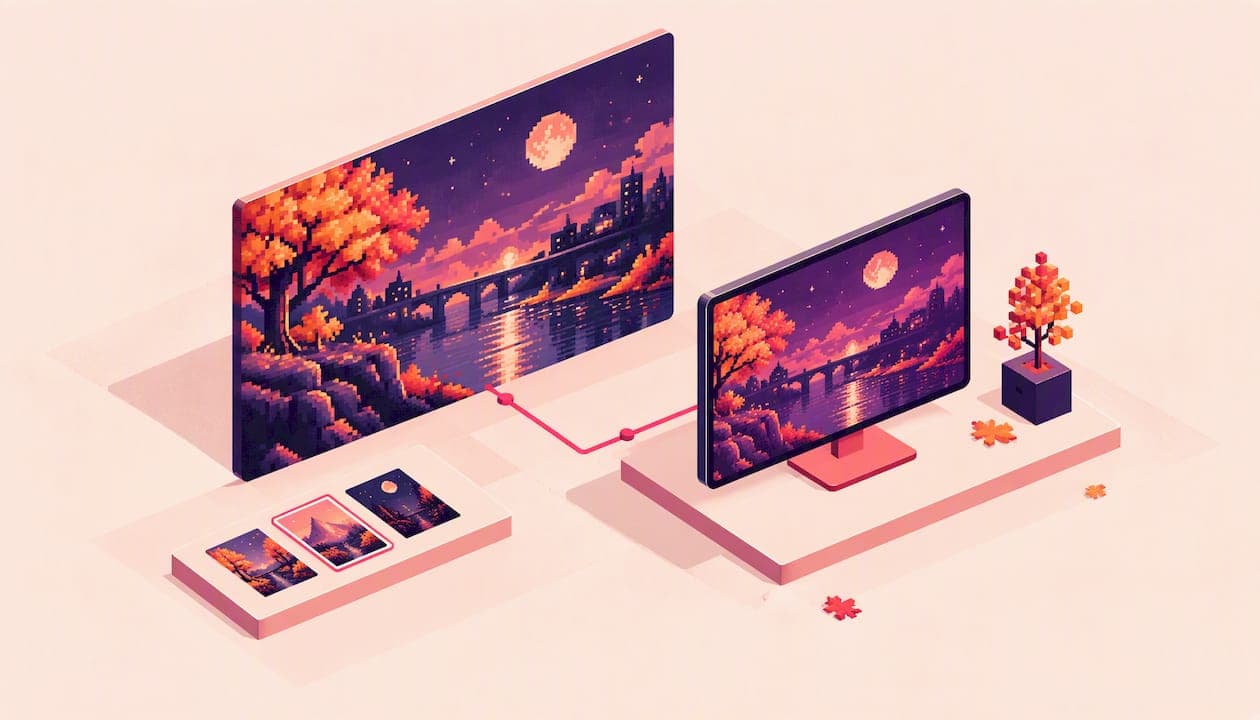
Another direction is stylized art. Free monthly roundups from designers, such as Smashing Magazine’s October wallpaper collection, show how far autumn illustration can go, with contributions from artists worldwide offered in several screen resolutions. Pixel art fits in this family: it takes a cozy scene and rebuilds it from blocks of color, giving it a crisp, nostalgic look that fits a computer screen naturally.
Why pixel art works so well for fall
A photograph of leaves has thousands of tiny tonal shifts. When the file is too small for your monitor, those shifts smear, and the whole picture looks soft. Pixel art is built from deliberate blocks and a limited palette, so even when you view it large, the edges are intentional. Fall suits that treatment: a handful of oranges, a handful of browns, a lit window, a pumpkin patch under a purple dusk.
There is a practical side too. Pixel art scenes tend to have clear shapes and flat color areas, which makes it easy to keep a quiet corner for icons. If you like the look of retro games and also want a seasonal desktop, it is a natural match.

How to choose a wallpaper that fits your screen
Start with the resolution, not the picture. Open your display settings and note the number. A desktop wallpaper guide from AddictiveTips lists the common sizes:
| Screen type | Typical resolution | Notes |
|---|---|---|
| Full HD monitor | 1920×1080 | 16:9, the most common desktop size |
| QHD monitor | 2560×1440 | 16:9, sharper, popular for gaming and design |
| 4K UHD monitor | 3840×2160 | 16:9, needs the largest files |
| Ultrawide | 3440×1440 | 21:9, needs a panoramic composition |
| 16:10 laptop | 2560×1600 or 2880×1800 | Slightly taller than 16:9 |
If your screen is 16:10 and you download a 16:9 image, something has to give: either the sides are cropped, or bars appear. That is not a flaw in the wallpaper. It is a mismatch you can avoid by choosing the right size when you download.
Think about what sits on top
Your desktop is not a gallery wall. Icons, folders, and widgets sit over the image, so where the picture’s interest lies matters. The same Easy Decor guide suggests simple designs when icons and widgets are in play, and wide landscapes for laptops and desktops. In practice:
-
Clean desktop: use a detailed scene, such as a full forest or a town at dusk.
-
Icons down the left: pick a wallpaper whose focal point is centered or on the right, with calm sky or ground on the left.
-
Many windows open all day: go for a low-contrast, soft palette. You’ll only see the edges anyway.
-
Dual monitors: use one panoramic image or two matching scenes so the seam does not cut through the focal point.
Light, dark, and eye comfort
Very bright orange fields look cheerful for a day and tiring after a week. If you work in the evening, consider a darker scene with small glowing details such as lanterns or windows. It sets the autumn mood without a glare behind your text.
Autumn phone wallpapers and backgrounds
Phones are the other half of the search, and they work differently. You hold a phone upright, so the image is portrait, and the clock and notification icons cover the top while the dock covers the bottom. The best compositions keep the subject in the middle third and leave breathing space above and below.
For iPhones, JumpCloud’s device-management documentation recommends a 2796×1290 image with a 19.5:9 ratio. For iPads, it recommends 2732×2732 pixels with the key content centered in a 2048×1536 area at 4:3. Hexnode’s iOS guidance agrees on 19.5:9 for iPhones and 4:3 for iPads, and notes that exact display dimensions vary by model. Android phones also vary, so treat these as starting points and check your own model’s specs.
Three habits help on any phone:
-
Keep the center clear. A face, a lantern, or a pumpkin in the middle looks great, until the clock lands on it. Leave space at the top.
-
Choose a darker lower half. App labels stay readable.
-
Use a matching lock screen and home screen pair. One detailed scene for the lock screen, one calmer version for the home screen.
How to set an autumn wallpaper on your computer
The steps below follow the process described in the AddictiveTips guide.
Windows
-
Save the image to a folder you will remember, such as Pictures.
-
Right-click an empty part of the desktop and open Personalize.
-
Under Background, choose Picture.
-
Browse to the file and select it.
-
Pick a fit mode (see below).
macOS
-
Open System Settings (or System Preferences on older versions) and choose Wallpaper.
-
Add the image or the folder that holds it.
-
Select the image.
-
Choose Fill Screen or Fit to Screen.
If you download several autumn images, put them all in one folder and select the folder. Both systems can rotate through them, so your desktop changes through the season without any extra effort.
Keep it sharp: resolution and fit modes
When a wallpaper looks wrong, it is almost always one of two things: the file is too small, or the fit mode is wrong.
Resolution. Download the highest-resolution version on offer. AddictiveTips points out that enlarging a smaller source makes it blurry or pixelated, which is why native size matters. Pixel art is the exception in one respect: because its blocks are large and intentional, it holds up better when scaled, as long as the scaling keeps the edges clean.
Fit modes. Different systems use slightly different names, but the logic is the same:
| Mode | What it does | Best for |
|---|---|---|
| Fill | Covers the whole screen and crops what overflows | Matching or nearly matching ratios |
| Fit | Shows the entire image, may leave bars at the edges | Images you do not want cropped |
| Stretch | Forces the image to the screen shape | Rarely a good idea |
The official Xfce desktop documentation describes the same trio: Scaled keeps the aspect ratio but may letterbox, Zoomed keeps the ratio while cropping to fill, and Stretched does not preserve the ratio. Stretched changes the artwork’s shape, which is especially noticeable with circles, faces, and the clean grid of pixel art. If you must pick between the first two, choose the one that keeps proportions. For pixel art specifically, see our guide to setting a pixel art wallpaper on any device.
Perspective: why we make autumn wallpapers one pixel at a time
We started Pixel by Pixel Art because seasonal wallpapers tend to fall into two camps: generic stock photos that look like everyone else’s screen, and files that arrive in one size and never fit your device. We wanted something with a point of view.
Every scene in our collections is AI-generated pixel art that we vet for quality before it goes in. We group scenes into themed collections such as Halloween, cozy autumn, night skies and fantasy landscapes, so you can dress all your devices in the same mood instead of hunting for a match one image at a time.
Our view is that a wallpaper is something you see hundreds of times a day, so it deserves the same care as any other object you choose for your desk. That means offering sizes for phone, tablet, desktop and square from the same scene, a free daily wallpaper so you can judge the quality at full size before you buy anything, and new drops every week so the season does not go stale by the second Tuesday of October.
Pixel art is a good fit for autumn precisely because the season is about palette: a warm window against a blue dusk, a row of pumpkins, a path scattered with leaves. A limited set of colors makes those moments read instantly, even at a glance on a crowded desktop.
Pixel by Pixel Art
Licensing and permitted use
Before you download any seasonal wallpaper, check what you can do with it. Using wallpapers on your own screen is one thing. Reposting, printing, or reusing them in a project is another.
Open licenses show the range. A wallpaper shared on Wikimedia Commons under CC BY 2.0 can be shared and adapted, provided you give appropriate credit, link to the license, and note any changes. Other sources use different terms, and many free sites allow only personal use.
Before you buy, read the seller’s terms. We list ours on the Terms of Service page, so you can see what applies to a download before you check out.

A quick way to build an autumn setup
Here is a simple routine that takes about ten minutes and covers every device:
-
Pick one mood. Cozy, moody, rustic, or playful. Staying with one makes your devices look intentional.
-
Note your sizes. Desktop resolution, laptop resolution, phone model, tablet if you have one.
-
Choose one scene in matching sizes. A single scene downloaded in the right size for each device looks like a set. Scenes that only share a color can look random.
-
Set a fit mode. Fill for matching ratios; Fit when you want the full picture.
-
Test with your icons. Move icons around, or tidy them, until the focal point is visible.
-
Rotate through the season. Autumn lasts a few months. Swap images when October turns to November and the palette shifts from orange to brown and grey.
Where to get autumn wallpapers
Plenty of free options exist: stock photo libraries, designer roundups, and monthly calendar collections. They are a great way to experiment, and you can browse several to find the mood that suits you. The downsides are usually the same: a single size, an unknown resolution, and a look you will see on a hundred other screens.
If you want a consistent, art-directed set in the right sizes, a curated collection is easier. Our approach is to give you the whole set from one scene at once. Our Cozy Season collection is a good place to start for fall.
Try our pixel art autumn wallpapers
Pixel by Pixel Art offers AI-generated pixel art wallpapers sized for phone, tablet, desktop, and square, grouped into themed collections such as Halloween, cozy autumn, night skies and fantasy landscapes. Preview a scene and download it instantly after checkout; each purchase includes multiple sizes so the same artwork fits every device you own.

Not sure about the style? We publish a free wallpaper every day, so you can try the quality at full size before you commit, and we add new drops every week. Browse the current scenes at Pixel by Pixel Art.
FAQ
What size should an autumn desktop wallpaper be?
Match your screen’s native resolution. The most common sizes are 1920×1080, 2560×1440 and 3840×2160, with 3440×1440 for ultrawide monitors and 2560×1600 or 2880×1800 on many 16:10 laptops. If you are unsure, check your display settings and download the largest version available.
Can I use the same wallpaper on my phone and computer?
Usually not well. A desktop image is wide, and a phone image is tall, so cropping one to fit the other will cut off most of the scene. A better approach is to use the same artwork exported in separate sizes, which keeps the look consistent while showing the full composition on each device.
Why does my wallpaper look blurry or stretched?
The two usual causes are a file smaller than your screen and the wrong fit mode. Download a higher-resolution version, and choose Fill or Fit rather than Stretch so the image keeps its proportions.
How do I change my wallpaper on Windows or Mac?
On Windows, right-click the desktop, open Personalize, choose Picture under Background, and browse to the file. On a Mac, open System Settings, choose Wallpaper, add the image or folder, and select Fill Screen or Fit to Screen.
Is a free autumn wallpaper as good as a paid one?
It can be, if the resolution matches your screen and the license allows you to use it. Paid collections usually add curation and a full set of sizes from the same scene. A daily free wallpaper, like ours, lets you check quality before you buy.