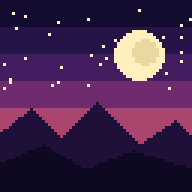

An aesthetic phone wallpaper is one that matches your taste and still lets you read the clock, spot your icons and see your notifications. Start with a style you like (soft gradients, cozy autumn scenes, pixel art), keep the busiest detail away from the top of the screen, and download a file at least as large as your phone's screen. The rest of this guide shows you how, with specific styles, seasonal ideas, sizes and a few safety checks.
TL;DR
- Aesthetic is part theme and part function: balanced composition, harmonious colors and a clear area for the clock and widgets.
- Pick a style that fits your mood or the season, then check it behind your real icons before you commit.
- Download an image at or above your phone's native resolution, in portrait orientation, so nothing gets cropped badly.
- Check the license or terms of any wallpaper you download, especially if you plan to share or remix it.
- Pixel art is a good fit for phone screens, and we offer a free scene every day if you want to test one.
Table of Contents
- What makes a phone wallpaper look aesthetic
- Aesthetic styles worth trying right now
- Seasonal themes: change your phone with the calendar
- Make it work with your icons and widgets
- Size, resolution and file format
- Personalize it: make a wallpaper that is only yours
- Our perspective: why pixel art suits the phone screen
- Try a pixel art wallpaper on your own screen
- Downloading wallpapers safely and legally
- A simple way to choose in five minutes
- FAQ
- Sources
What makes a phone wallpaper look aesthetic
People use "aesthetic" loosely, but the wallpapers that hold up over months share a few traits. They look good on their own, and they look good with a grid of apps on top.
On the second point, one tech roundup notes that a good iPhone wallpaper keeps the clock, widgets and notifications readable, and that minimalist designs with muted palettes and plenty of empty space are especially usable. That matches what phone makers say in their own design rules. HONOR's guidance for theme creators points to balanced composition, harmonious color, sharp imagery and content that stays identifiable behind status bar icons.
Put simply, an aesthetic wallpaper usually has:
- A clear focal point. One subject, one mood. A mountain, a moon, a cozy window, a single pumpkin.
- A controlled palette. Three or four related colors look intentional. Ten competing colors look noisy.
- Breathing room. Empty sky, soft gradient or dark negative space gives your icons somewhere to sit.
- Sharpness. Blurry or over-compressed images look cheap on a modern high-density display, however good the idea.
The theme (cottagecore, cyberpunk, beach sunset) is the fun part. The four points above decide whether you still like it after a week.
Aesthetic styles worth trying right now
Styles move fast, but a handful keep coming back. A 2026 roundup of aesthetic wallpapers lists warm-neutral minimalism, dark gradients, soft pastel gradients, line art, organic shapes, Bauhaus geometry and marble textures. It also mentions nostalgic looks such as 1970s earth tones and Y2K chrome, cozy internet-born moods such as cottagecore and dark academia, and AI-made dreamscapes.

Here is how to think about choosing among them.
Minimal and gradient looks
If your home screen is full of apps and widgets, a muted gradient or a simple abstract shape is the safest pick. Nothing competes with your icons, and the colors can match your case, your widget theme or your mood. Dark gradients also keep light text legible and look calm on an OLED screen at night.
Cozy and nostalgic looks
Warm earth tones, knit textures, rainy windows and woodland paths suit people who want the phone to feel like a small, comfortable place. These work best when the detail sits in the lower half and the top fades into soft color.
Illustrated and pixel looks
Illustrated styles give you personality that photos rarely do. Pixel art is a particularly good match for phones: the blocky, deliberate detail reads clearly at small sizes, the limited palettes feel cohesive, and a scene with a tall composition (a forest path, a city skyline at dusk, a lit-up cabin) naturally leaves room at the top for the clock. It also has a retro-game warmth that feels personal rather than generic.
Photographic looks
Monochrome photography, film-grain street scenes, botanical close-ups and ocean imagery all remain popular. If you go this route, choose images with a calm area of sky, water or shadow near the top, otherwise your icons will fight the photo.
Seasonal themes: change your phone with the calendar
One of the easiest ways to keep your phone feeling fresh is to swap wallpapers by season. A seasonal wallpaper guide suggests ideas such as spring blossom and pale florals, summer beaches and sunsets, autumn leaves in orange, gold and russet, pumpkins, misty mornings and woodland paths. For Halloween it lists haunted houses, bats, black cats, moons and jack-o'-lanterns, plus a cuter take with friendly pumpkins and ghosts. For winter it points to Christmas trees, ornaments, string lights, snow and cozy snowy-window scenes.
A few practical ways to use this:
- Pick a palette, not just a scene. Autumn works because the colors (burnt orange, gold, deep brown) are naturally harmonious.
- Keep a thread across the year. The same guide notes that a single color such as pink can run through every season: pink autumn leaves, tinted winter skies, pink spring blossom, pink summer sunsets. If you love one color, this keeps your phone feeling consistent while it still changes.
- Switch on a schedule. Many people change on the first of the month or at the start of each season. A small ritual makes the phone feel new without much effort.
- Match your lock screen and home screen. Use a bold scene on the lock screen, where there are fewer icons, and a quieter version or a gradient in the same colors on the home screen.
If you like the idea of collections grouped by theme, that is how we organize our pixel art wallpapers: Halloween, summer scenes, cozy seasons and more, so one download session covers the whole look.
Make it work with your icons and widgets
This is where most "pretty" wallpapers fail. A stunning image can turn your home screen into a hard-to-read mess.
A seasonal design guide recommends a portrait composition with the main subject in the middle or lower area, leaving the top clearer for the clock and widgets. It also warns that busy patterns and very bright upper areas can make icons and the clock harder to read. The same idea applies to the status bar: HONOR's standards advise against backgrounds that merge with status bar icons.
Try this quick test before you settle on a wallpaper:
- Set it as both lock screen and home screen.
- Look at the clock and date from arm's length. Can you read them instantly?
- Check the top status bar: battery, signal and time should not disappear into the image.
- Check your busiest app page. If you cannot find an icon without squinting, the image is too busy.
- Try it at night and in daylight. Bright skies at the top can wash out white text.
If a wallpaper you love fails the test, you have options. Choose a version with a darker or softer top, move your widgets to a calmer area, or use the busy image only on the lock screen. A tech guide also points out that minimalist designs suit busy home screens, while abstract wallpapers add color without a literal subject competing with your app icons.
Quick match guide
| Your home screen | Best wallpaper type | What to avoid |
|---|---|---|
| Full grid of apps | Soft gradient, abstract shapes, dark minimal scene | Detailed photos, repeating patterns |
| A few widgets and a dock | Illustrated scene with calm sky or empty top | Bright, high-contrast upper areas |
| Mostly empty, lock screen focus | Bold pixel art scene, cinematic photo, dramatic landscape | Nothing, this is where detail shines |
| Dark mode everywhere | Dark gradients, night scenes, moonlit landscapes | Washed-out pastels with white text |
Size, resolution and file format
A wallpaper that looks soft or gets cropped awkwardly is almost always a sizing problem.
Resolution. The safe rule is to use an image at least as large as your phone's screen, in portrait. One guide on phone wallpaper dimensions says an image larger than the device resolution can help prevent unwanted cropping and preserve the composition. This matters because phones apply a parallax or zoom effect and scale the image for the lock and home screens. Huawei's wallpaper specification, for example, recommends 2160×1920 pixels for a 1080×1920 screen (the extra width allows for scrolling across home screen pages) and lists other sizes for other models. That tells you the right file depends on your device, so check your model's screen resolution before you download.
Format. Huawei recommends JPG for wallpapers. For general use, one background resource explains that PNG suits graphics, gradients, text and line art, while high-quality JPEG suits photographs. That is useful for pixel art: hard edges and flat color blocks stay crisp in PNG and can pick up fuzzy artifacts if heavily compressed as JPEG.
Aspect ratio. Match your phone's portrait ratio. If the ratio is off, the phone crops or zooms, and your carefully placed focal point can end up under a widget or cut off at the edge.
A simple checklist:
- Look up your phone's native resolution in its settings or specifications.
- Download a file equal to or larger than that, in portrait.
- Prefer PNG for illustrations, pixel art and gradients, and high-quality JPEG for photos.
- If you use a tablet or desktop too, download the size made for that device instead of stretching a phone image.
Personalize it: make a wallpaper that is only yours
You do not have to choose from a catalog. Many phones now include tools that make a custom look quickly.
Google's Pixel support page describes several options: cinematic photo wallpapers on Pixel 6 and later, emoji wallpapers with up to 14 emojis and adjustable patterns and colors on Pixel 4a and later, and prompt-based AI wallpapers on Pixel 8 and 8 Pro. If you use another brand, check the wallpaper settings on your own phone, because features vary by model and software version.
A few ideas that work on almost any phone:
- Match your wallpaper to your widgets. Pull two or three colors from the artwork and use them in your widget and icon choices.
- Pair lock and home screens. Use the same scene in two crops, one detailed and one calmer.
- Build a seasonal rotation. Keep four or five favorites and rotate them through the year.
- Use art that suits a theme you love. A cozy cabin scene, a spooky night street or a summer coastline gives your phone a point of view.
Our perspective: why pixel art suits the phone screen
We started Pixel by Pixel Art because phone wallpapers are one of the few pieces of art you look at dozens of times a day, and most of them are forgettable.
Our view is simple. A wallpaper should have a mood, a clear structure and enough calm space to live under your icons. Pixel art does this well. The limited palettes keep colors harmonious, the crisp shapes stay legible at small sizes, and a single scene can say "cozy autumn night" or "summer evening" without a lot of clutter.
That is why we build our wallpapers as AI-generated pixel art, vetted for quality, and group them into curated collections by season and theme. You should not have to scroll through thousands of random images to find one that fits the time of year. We also include multiple sizes with each purchase, because a phone, a tablet and a desktop each need their own proportions to look right.
And because taste is personal, we put out a free scene every day, in full quality. Try one on your own home screen first. If it fits your style, there is more where it came from, with new drops every week.
Samuel
Try a pixel art wallpaper on your own screen
If you want an aesthetic that feels distinctive without being busy, our pixel art wallpaper collections are built for exactly that. Each collection is grouped by theme (Halloween, summer scenes, cozy seasons), and every purchase comes with sizes for phone, tablet and desktop, plus a square option, available as an instant download so you can set it up in minutes. You can preview before you buy, and the daily free wallpaper lets you test the quality on your own device at no cost.

New collections arrive weekly, so there is usually something fresh for the season you are in. Subscribe by email if you want to hear about them first.
Downloading wallpapers safely and legally
Free wallpaper sites are everywhere, and quality and rules vary a lot. A few habits keep you safe.
- Download images, not installers. A wallpaper is just an image file. If a site asks you to install an app, extension or "downloader" to get it, close the page.
- Check the license. Some images allow personal use only, some require credit, and some allow remixing under conditions. For example, the Creative Commons CC BY-SA 4.0 license requires attribution and share-alike terms for remixes. If you only use an image as your own phone background, the rules are rarely a problem, but they matter if you post, edit or share it.
- Read the seller's terms. On any shop, the terms explain what you can do with a purchased file. Ours are in our Terms of Service.
- Keep originals. Save the original download in a folder so you can re-crop it if you change phones.
- Be wary of "8K" promises. A larger number does not mean better. A sharp file at the right ratio for your screen beats a huge, badly cropped one.
A simple way to choose in five minutes
- Pick a mood. Cozy, spooky, bright, calm or dramatic. One word is enough.
- Pick a palette. Warm neutrals, pastels, dark and moody, or one favorite color.
- Pick a layout. Calm top, subject in the middle or lower half.
- Check the size. Portrait, at or above your phone's native resolution.
- Test it. Set it on the lock and home screens and run the icon and clock check from earlier.
If it passes, keep it. If you tire of it, that is what seasons are for.
FAQ
What is the best aesthetic for a phone wallpaper?
There is no single best one, but muted palettes, a clear focal point and calm empty space work for most people. Minimal gradients are the safest for busy home screens. Illustrated and pixel art scenes are a good choice if you want more personality while keeping the top of the screen clear.
What size should an aesthetic phone wallpaper be?
Use a portrait image at least as large as your phone's native screen resolution. Larger files help avoid unwanted cropping, and the exact recommended size depends on your device. For illustrations, pixel art and gradients, PNG keeps edges crisp.
How do I stop my wallpaper from making icons hard to read?
Choose an image with the main subject in the middle or lower area and a quieter top. Avoid busy patterns and very bright upper regions. You can also use the detailed version on the lock screen and a calmer gradient on the home screen.
Can I change my wallpaper with the seasons?
Yes, and many people do. Autumn leaves and pumpkins, Halloween scenes, winter snow and summer sunsets all work well. Keeping one color constant through the year, such as pink or green, can make the changes feel like a set.
Are free phone wallpapers safe to download?
A wallpaper is an ordinary image file, so you should never need to install software to get one. Check the license before sharing or editing a file, and keep to sites that clearly state their terms.
Sources
- iPhone WallPaper Ideas (40+ cool Ideas)
- HONOR Developers: Static wallpaper content production standards
- 25 Best Aesthetic Wallpapers for iPhone and Android in 2026
- Seasonal Wallpapers and Phone Backgrounds
- iPhone Wallpaper Dimensions for Every Model
- Huawei Wallpaper Design Guide
- Best File Format and Resolution
- Google Pixel: Create or customize wallpapers
- Creative Commons for Education: Sharing and Using Resources