The best summer phone wallpaper is one that matches your screen's resolution, leaves room for your icons and clock, and carries a mood you like seeing 80 times a day. This guide covers the styles people are choosing, the exact sizes for iPhones, desktops and laptops, how to crop without losing the good part of the image, and what to check before you download.
TL;DR
- Pick a style first: tropical beach, preppy pastels, cottagecore picnic, minimalist gradients, or sunset and retro neon.
- Check your model's resolution before downloading. Recent iPhones use roughly a 19.5:9 ratio, and desktops are mostly 16:9 or 16:10.
- Choose images with calm areas where your clock, widgets and icons will sit.
- On a phone, pinch to zoom and drag to reposition before you tap Set. On a computer, the fit option decides what gets cropped.
- Read the license terms of any site before you download, especially if you plan to share or reuse the image.
Table of Contents
- Summer wallpaper styles worth considering
- What about pixel art?
- Choose the right size for your phone
- Summer desktop wallpaper and computer backgrounds
- Summer laptop wallpaper
- How to crop and set a wallpaper without losing the best part
- Check the license before you download
- Perspective: why we make summer wallpapers in pixel art
- Get summer scenes in the right size
- A quick checklist before you set it
- FAQ
- Sources
Summer wallpaper styles worth considering
Summer wallpaper is a mood more than a subject. These are the looks that come up most often in current roundups, and what each one does on a screen.
Tropical beach and ocean
Turquoise water, white sand and palm trees are the classic. HitPaw's summer wallpaper roundup lists the tropical beach escape first among trending scenarios and reports that searches for "ocean aesthetic" jump by 300% in June. Blue-heavy scenes also keep app icons readable, because white and light icon labels contrast well with deep water tones.
Preppy and vibrant
Hot pink, teal and lime green drive this look, and HitPaw's preppy summer guide describes it as soft pastel tones, coastal vibes and Pinterest-style compositions: poolside scenes with pastel inflatables, picnic spreads, palm-lined vacation views and collages. It is the most playful option and works well for lock screens.
Cottagecore and picnic
Gingham textures, wildflowers, lemonade and baskets. This is the gentle, nostalgic end of summer, and it suits people who want a phone that feels calm rather than loud.
Minimalist gradients
If your home screen is full of apps, a gradient is the practical choice. Single-axis fades, peach to pale yellow, mint to lavender, or grainy film-textured blends give you color without clutter. COVL's gradient wallpaper guide notes that pastel gradients became the defining look of the softcore and cottagecore aesthetics.
Sunset, golden hour and retro
Rokform's August wallpaper list includes sunflower fields at golden hour, beach sunset silhouettes, lavender fields and warm gradient waves. On the retro side, HitPaw points to neon purples and retro-futuristic suns. Dark sunset scenes also happen to be a good fit for OLED screens, since Rokform notes that darker wallpapers save battery on those displays.
Road trips and summer naps
Vintage vans, quiet landscapes and mid-century nostalgia show up often in community wallpaper collections. They work well when you want a scene with a story rather than a pattern.
What about pixel art?
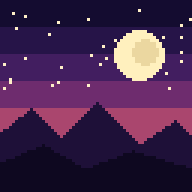
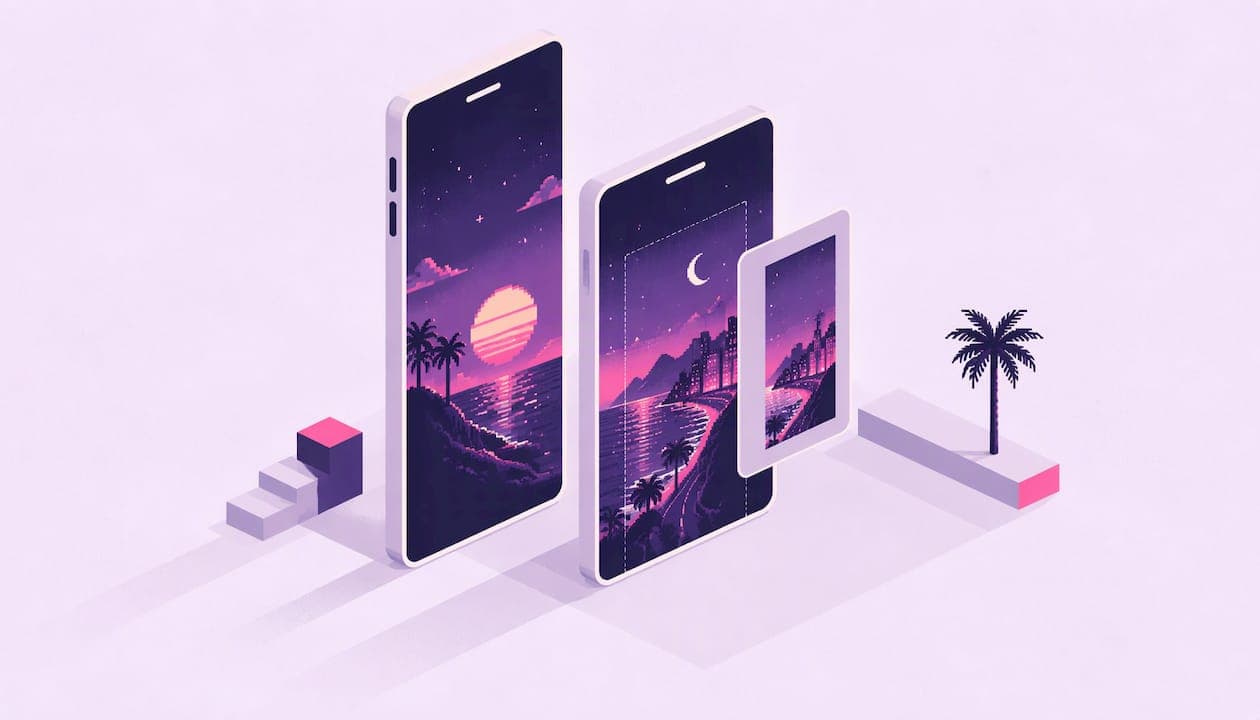
Pixel art is a different take on all of the above. A pixel-art beach, a tiny pool scene or a sunset over a pixelated shoreline has hard, clean edges, flat color blocks and a lot of personality. Those same qualities help in practice: the shapes are simple, so icons and widgets stay legible on top of them.
If you like the idea, our own take is a collection of AI-generated pixel art wallpapers, vetted for quality and grouped by theme, including summer scenes. You can browse them at Pixel by Pixel Art. For a broader look at choosing a style that stays pleasant over months, see our guide to picking a phone wallpaper aesthetic.
Choose the right size for your phone
A wallpaper that is too small gets stretched and looks soft. One with the wrong proportions gets cropped. Both are avoidable in two minutes.
Step 1: Find your model
On an iPhone, open Settings > General > About and read the Model Name. TechPP's iPhone wallpaper size guide recommends then downloading an image at your model's listed resolution or higher.
Step 2: Match the resolution
The same guide says recent iPhones commonly use a 19.5:9 ratio. Its examples:
| iPhone model | Resolution (pixels) |
|---|---|
| iPhone 16 Pro Max | 2868 × 1320 |
| iPhone 16 Pro | 2622 × 1206 |
| iPhone 16 Plus | 2796 × 1290 |
| iPhone 16 | 2556 × 1179 |
For a general-purpose target, JumpCloud's wallpaper policy documentation recommends 2796 × 1290 pixels at 19.5:9 for iPhone images, in JPEG or PNG format. Newer or older models will differ, so check the table above or your model's spec page.
Rokform puts the point bluntly: match your phone's specs or expect a pixelated result. If a download is slightly larger than your screen with the same proportions, you lose nothing. If it is smaller, you will see it.
Step 3: Think about the lock screen
On a lock screen, the clock sits near the top and widgets sit below it. Look for images where the top third is sky, water, or a soft gradient. A busy collage can look great as a preview and still hide your clock. Rokform's advice is the same: a pretty wallpaper is no help if busy patterns make apps impossible to find.
Android phones
Android screens vary more by manufacturer, so look up your phone's resolution in its specs and apply the same rule: same proportions, equal or larger size. Most Android wallpaper pickers let you scroll the image sideways, so a slightly wider image can be positioned across home screens.
Summer desktop wallpaper and computer backgrounds
Desktops are simpler because most screens are 16:9. A desktop wallpaper size guide lists the common targets:
| Display | Resolution (pixels) | Ratio |
|---|---|---|
| Full HD (1080p) | 1920 × 1080 | 16:9 |
| QHD | 2560 × 1440 | 16:9 |
| 4K | 3840 × 2160 | 16:9 |
To check your own screen on Windows, open Display settings. On a Mac, go to Apple menu > System Settings > Displays. If you cannot find an exact match, choose the nearest larger image with the same proportions.
Keep icons in mind
Razer's guide to choosing a desktop wallpaper recommends matching both resolution and aspect ratio and using negative space where desktop icons sit. For a summer scene, that means a horizon with open sky, or a pixel-art landscape with the action on one side. Icons usually sit on the left, so put the open space there.
Dark mode setups
If you work in low light, Razer suggests darker tones that blend with dark mode. A summer-night scene, such as a sunset fading into deep purple, gives you the season without the glare.
Two monitors
Plugable's multi-monitor guide explains that two 1920 × 1080 displays can share a 3840 × 1080 wallpaper using the Windows Span fit option. Identical size, orientation and resolution on both screens reduce distortion and misalignment.

Summer laptop wallpaper
Laptops add one wrinkle: many use 16:10 screens. The size guide above lists 1920 × 1200 and 2560 × 1600 for 16:10 displays. A 16:9 image on a 16:10 screen will either be cropped or leave bars, depending on the fit setting. Check your resolution in the same display settings, then download the matching size. Buying a wallpaper pack that includes multiple sizes avoids guesswork when you use one scene across a phone, a tablet and a laptop.

How to crop and set a wallpaper without losing the best part
Cropping is where good wallpapers go wrong. A few habits help.
- Look at the focal point first. Before downloading, decide what matters: the sun, a palm tree, a pixel-art cabin. Make sure it sits in the middle of the frame, not near an edge.
- Reposition on the phone. Apple's instructions for changing the iPhone wallpaper say to pinch open to zoom, drag to move the image and pinch closed to zoom out. Do this before you tap Set, and check both the lock and home screen previews.
- Watch Perspective Zoom. Apple notes this option makes the wallpaper appear to move as you tilt the phone. It can crop the edges slightly, so turn it off if the framing matters.
- Use the right fit on desktop. Fill crops to cover the screen, Fit shows the whole image with bars, and Span stretches across monitors. If an image has important detail at the edges, choose Fit or pick another size.
- Avoid stretching. If the image is a different ratio, crop it rather than choosing a stretch option. Stretched pixel art in particular loses its crisp squares.
Sizes and menu names vary slightly between operating system versions, so if something does not match, look in your device's wallpaper or display settings.
Check the license before you download
Most people just want a pretty background for personal use, which is the simplest case. Still, a few checks save trouble:
- Read the terms on the download page. Free does not mean free to redistribute, edit or sell. Images from social boards or search results often belong to someone who never offered them as wallpapers.
- Look for clear personal-use language. If you want to share a wallpaper, post it, or use it in a video, make sure the license allows it.
- Keep the creator's attribution when asked.
- Know what the file is. Under U.S. law, images are generally protected from the moment they are created, as Pixsy's beginner guide to image copyright explains, so a lack of a copyright notice does not mean an image is free to use.
Our own terms are published on the Terms of Service page, so you can see what a download covers before you buy.
Perspective: why we make summer wallpapers in pixel art
We started Pixel by Pixel Art because most summer wallpapers look the same: a beach photo, a filter, a quote. They are fine for a week and forgettable after that.
Pixel art is different. Every scene is built from clear shapes and a limited palette, so it reads well even at thumbnail size, and it leaves room for your icons. We generate our scenes with AI, then vet each one for quality before it goes into a curated collection. A summer set should feel like one place, not a random pile of images.
We also think a wallpaper should fit on the first try. That is why our purchases include multiple sizes for phone, tablet, desktop and square, so the same summer scene can follow you from your lock screen to your laptop. And because you should not have to buy blind, we put out a free wallpaper every day, at full quality, so you can see how a scene looks on your own screen.
Samuel
Get summer scenes in the right size
If you want a summer look that is distinct from the usual beach photos, our collections are made for it: AI-generated pixel art, grouped into curated themes, with sizes for phones, tablets and desktops, available for instant download. New drops arrive weekly, and there is a free wallpaper each day if you want to start there.

Browse the collections at Pixel by Pixel Art.
A quick checklist before you set it
- Does the resolution match or exceed your screen?
- Is the aspect ratio right for your device?
- Is there open space for the clock, widgets or icons?
- Does the scene still look good at small size?
- Do you have permission to use and, if needed, share it?
- If it is a dark scene and you have an OLED screen, is the battery bonus worth the mood?
FAQ
What size should a summer wallpaper be for an iPhone?
It depends on your model. Recent iPhones use about a 19.5:9 ratio, for example 2556 × 1179 for the iPhone 16 and 2868 × 1320 for the iPhone 16 Pro Max. Find your model under Settings > General > About, then download an image at that resolution or larger.
How do I stop a wallpaper from cropping the wrong part?
On an iPhone, pinch to zoom and drag the image into position before tapping Set, and check the preview for both screens. On a computer, choose Fit if you want to see the whole image, or download a size that matches your display's ratio.
Which summer wallpaper style works best with lots of icons?
Minimalist gradients and simple scenes with open sky or water are the easiest. Busy collages and dense patterns make apps harder to find. Pixel-art scenes with flat color areas also tend to keep icons readable.
Can I use the same summer wallpaper on my phone and computer?
Only if it comes in the right proportions for each. A tall phone image will be heavily cropped on a 16:9 desktop. Look for a pack that includes separate phone, tablet and desktop sizes of the same scene.
Is it okay to download any summer wallpaper I find online?
For personal use on your own device, most people do, but check the site's terms first. If you plan to share, edit or reuse a wallpaper, make sure the license clearly allows it.
Sources
- HitPaw: Best Summer iPad Wallpapers
- HitPaw: Preppy Summer Wallpaper
- COVL: Gradient Aesthetic Wallpaper
- Rokform: 25 Stunning August Phone Wallpapers
- TechPP: What is the iPhone Wallpaper Size?
- JumpCloud: Create a Wallpaper Policy for iOS/iPadOS Devices
- Wallpaper and Desktop Background Sizes Guide
- Razer: How to Choose the Best 4K and Aesthetic Wallpaper
- Plugable: How to Span a Wallpaper Across Multiple Monitors
- Apple Support: Change the wallpaper on iPhone
- Pixsy: A beginner's guide to copyright for images