The best rainy day wallpaper is one that matches your screen's shape, keeps the focal point away from your icons and clock, and sets a mood you still like on the fifth gray Tuesday in a row. Choose the scene first (window glass, wet city street, forest, cozy interior), then the format (phone, tablet or desktop), then check that the file is sharp enough and that you are allowed to use it. This guide walks through all four steps and shows you how to set the image on iPhone, Android and Windows.
TL;DR
- Pick a mood before a picture: cozy and warm, moody and cinematic, or quiet and graphic. Each suits a different screen and time of day.
- Match the file to the device. Phones need tall portrait images, desktops need wide landscapes, and tablets sit in between.
- "Free" is not a license. Check the usage terms of any free wallpaper before you download it.
- A still image is the simplest and lightest option. Animated rain needs extra software and more battery.
- Setting a wallpaper takes under a minute in the system settings on iPhone, Android and Windows.
Table of Contents
- What kinds of rainy day wallpaper can you choose from?
- How to choose a rainy day wallpaper for your screen
- Resolution and aspect ratio: what to look for
- Image or video: which rainy wallpaper is better for daily use?
- Where to find free rainy day wallpapers, and what to check first
- How to set a rainy day wallpaper on your device
- Our perspective on rainy day wallpapers
- Build a rainy mood from our collections
- Promo: pixel art wallpapers for every device
- Quick tips for making a rainy wallpaper last
- FAQ
- Sources
What kinds of rainy day wallpaper can you choose from?
Search results for this topic are crowded with stock photos, Pinterest boards and video loops. Underneath, rainy wallpapers fall into a handful of styles. Knowing them helps you skip the scrolling and go straight to the one that fits.
Rain on glass. A window streaked with drops, with blurred lights or a street behind it. It is the most recognizable rainy image and works well on phones because the glass fills the frame and the blur keeps icons readable.
Wet city streets. Reflections of neon or streetlights on pavement, umbrellas, a lone figure at a crossing. These lean cinematic and look best on darker screens and desktop monitors, where there is room for the reflections to breathe.
Forest, hills and misty landscapes. Soft, low-contrast scenes with fog and tall trees. They are calming and the muted palette tends to be easy on the eyes over long stretches.
Cozy interiors. A warm lamp, a bookshelf, a mug, with rain visible at the window. The contrast of dry and warm against wet and gray is the whole appeal, and it is the style most people mean when they ask for a "cozy" rainy day wallpaper.

Graphic and minimal rain. Fine lines, soft speckles, flat color fields. This is the quiet option when you want atmosphere without a busy picture behind your apps.
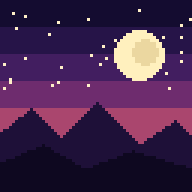
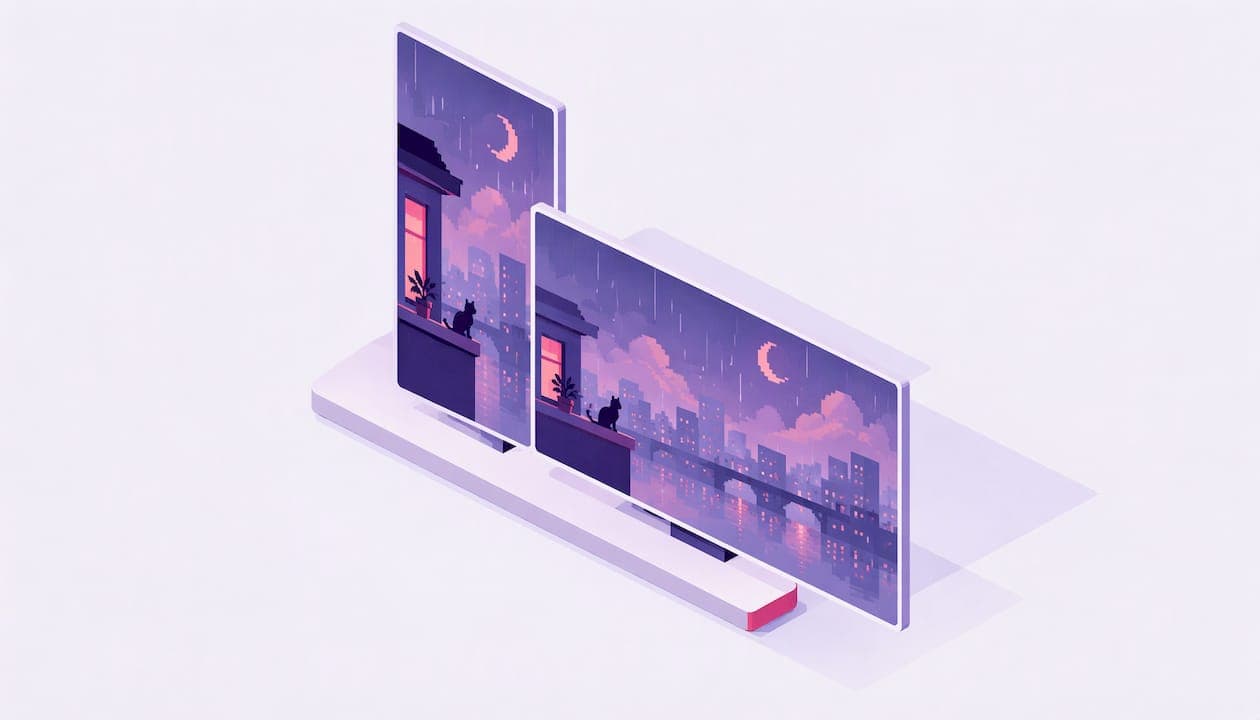
Pixel art rain. A stylized take where every drop, puddle and window pane is built from visible blocks of color. Pixel art keeps hard edges at any size, so it stays crisp on high-density screens, and it reads as illustration rather than stock photography.
One helpful rule of thumb from a roundup of cozy wallpaper ideas: for a cinematic rainy feel, think rainy streets, dark forests, bookshops or warm windows, and go with muted tones if the screen will be in front of you for long hours.
How to choose a rainy day wallpaper for your screen
The same picture rarely works everywhere. A wide street panorama looks wonderful on a monitor and turns into a thin strip when cropped for a phone. Think about how you actually use each device.
Phone
Your phone wallpaper sits behind a clock, notifications and rows of app icons. Choose a portrait image where the interesting part, such as the lit window or the umbrella, sits in the lower or middle part of the frame so the clock does not cover it. Avoid scenes with detail all over the image. Rain streaks everywhere plus a grid of icons gets noisy fast. For more on the thinking behind this, see our guide to choosing a phone wallpaper aesthetic.
Tablet
Tablets are held at both orientations and often shown with fewer icons. Illustrations and balanced landscapes work well here because the composition survives a rotation. Look for scenes where the subject is centered or the background extends naturally on every side.
Desktop and laptop
Choose a wide landscape with open areas. Icons usually live on the left side of a Windows desktop, so a scene with calm, empty space on that side keeps files readable while the visual weight sits on the right. Darker rainy scenes suit evening work; lighter, softer ones suit daytime. We cover the same logic for seasonal scenes in our autumn desktop wallpaper guide.
Matching mood to time of day
| If you want | Scene to look for | Best on |
|---|---|---|
| A calm, easy-on-the-eyes screen | Misty forest, soft gray palette, muted tones | Desktop, tablet |
| A cinematic, late-evening mood | Wet street at night, neon reflections, darker image | Phone, desktop |
| Warmth against the weather | Lamp-lit window, books, a mug | Phone, tablet |
| Minimal distraction | Fine rain lines, flat color fields | Any screen |
Resolution and aspect ratio: what to look for
A wallpaper looks soft when it has fewer pixels than your screen. So start with your screen's native resolution. For example, Apple lists the iPhone 17 display at 2622 by 1206 pixels, which is a tall ratio of roughly 2.17 to 1. A standard 16:9 desktop image would be cropped heavily on that screen, and a square image would be cropped even more.
A practical checklist:
- Find your screen's resolution. Look up the spec page for your phone or tablet, or open Display settings on a computer.
- Pick the right orientation. Portrait for phones, landscape for monitors, and either for tablets.
- Aim for at least your native resolution. Larger is fine because the device scales down. Smaller gets scaled up and looks blurry.
- Leave room for cropping. Phones crop and zoom wallpapers slightly for parallax and Lock Screen elements, so keep key details away from the edges.
- Watch for compression. A heavily compressed image shows blocky artifacts in gradients like rainy skies. Look for PNG or high-quality JPEG files.
Pixel art is forgiving here, because its hard-edged shapes are designed in blocks. Still, it needs the right proportions, which is why our wallpapers come in several sizes per purchase: phone, tablet, desktop and square. You pick the file made for your screen instead of cropping one yourself.
Image or video: which rainy wallpaper is better for daily use?
A rain video or animated wallpaper moves, which is lovely for a minute and then becomes background noise. Animated wallpapers on a computer typically need a dedicated program. One Windows tool, for instance, supports video files such as MP4 and AVI as well as HTML-based web wallpapers. That means installing extra software and letting it run in the background.
A still image has none of that overhead. It is built into the system, works on every device, and gives your eyes a steady backdrop. For a phone that you check dozens of times a day, still is the practical choice. If you love motion, save it for a desktop that stays plugged in.

Where to find free rainy day wallpapers, and what to check first
Free rainy wallpapers are everywhere, from stock libraries to community boards. The catch is that "free to download" does not always mean "free to use however you like." For your own phone background, the risk is small. If you plan to post it, print it, put it in a video or use it for anything commercial, the license matters.
Creative Commons is the most common system. According to a university guide to Creative Commons licenses, CC0 allows reuse without restriction, CC BY allows commercial adaptation with credit, CC BY-SA adds a requirement to share under the same license, and CC BY-NC prohibits commercial use. So two images that are both labeled free can come with very different obligations.
Some sensible habits:
- Look on the image's page for a License, Usage, Terms or Creative Commons note. One wallpaper guide advises steering clear of sources that say "free" without explaining what you may do with the file.
- Keep a note of the source and license if you plan to share or republish.
- Prefer original artwork over reposted images with no credit.
We built a daily free wallpaper into our shop for exactly this reason: you can try full-quality art without hunting through licensing pages. Our usage terms are in our Terms of Service.
How to set a rainy day wallpaper on your device
Once the file is saved, setting it takes seconds.
iPhone
Open Settings, tap Wallpaper, then Add New Wallpaper. Per Apple's instructions, you can pick a photo from your library, then add it and choose whether to use it for the Lock Screen, Home Screen or both. Save the downloaded image to Photos first so it shows up there.
Android
Menus differ by brand, but the common path is to open the image in your gallery app, tap the three-dot menu, and choose a Set as wallpaper option. You can usually pick Home screen, Lock screen or both. The Wallpaper and style section of Settings also lets you choose from your own photos.
Windows
Microsoft's guide says to go to Settings, then Personalization, then Background, and choose Picture. You can also right-click an image file and set it as your desktop background. The same page describes a slideshow mode that cycles through a folder of images, handy if you want a different rainy scene each day.
Mac and tablets
On a Mac, open System Settings and choose Wallpaper, then add your own image. On iPad the steps match the iPhone. On Android tablets, follow the same gallery route as on a phone.
Our perspective on rainy day wallpapers
Rain is a mood, not just a weather report. The wallpapers people keep for months are rarely the sharpest photographs. They are the ones that make the screen feel like a small, calm room you are glad to open.
That is why we make pixel art. Every scene is AI-generated and then vetted for quality before it joins a collection, and the stylized blocks give rain, glass and lamplight a graphic clarity that stock photos tend to lose behind icons and widgets. Hard edges stay readable at any size.
We also think a wallpaper should arrive ready for your device. Each purchase includes multiple sizes, so the phone version is composed for a phone, not cropped from a desktop scene. And because moods change with the season, we group scenes into curated collections and add new ones weekly.
If you are not sure what you like, start with the daily free wallpaper. Live with it for a few days. The scenes you keep coming back to will tell you which collection to explore next.
Samuel
Build a rainy mood from our collections
Our shop is organized by mood and season, so you can browse by feeling instead of keyword. If you want the gray-and-quiet look, the dusk and night collections are the natural place to start: Moonlit Mist and Night Classics lean into low light and soft atmosphere. For warmth against the weather, the Cozy Season collection is built around indoor comfort. And if you like your screen to shift through the day, Morning to Midnight covers a whole day's range of light.
Collections change as new drops arrive, so check each page for the scenes currently available.
Promo: pixel art wallpapers for every device
Pixel by Pixel Art sells AI-generated pixel art wallpapers as instant digital downloads. Each purchase includes multiple sizes for phone, tablet, desktop and square, and you can preview before you buy. Browse the full range on our shop home page or see everything at once in The Complete Collection.

New drops land weekly, and there is a free wallpaper every day if you want to try the style first.
Quick tips for making a rainy wallpaper last
- Pair it with the right icon layout. Keep the lit part of the scene clear by placing icons on one side or in a lower dock.
- Match the Lock Screen and Home Screen. Use the same scene with a different crop, or two scenes from the same collection for a consistent look.
- Rotate by season. Rainy scenes feel right in spring showers and autumn gloom. Swap in something brighter when summer arrives. Our summer phone wallpaper guide covers that side of the year.
- Use muted tones for long screen time. Softer images are more comfortable to look at on a work monitor.
- Go darker in the evening. A deep, cinematic scene suits night-time use and fits dark mode well.
FAQ
What is the best rainy day wallpaper for a phone?
A portrait image with the main subject in the lower or middle area, so the clock and icons do not cover it. Rain on a window or a lamp-lit scene with calm, muted tones usually works best. Pick a file made for phone proportions rather than cropping a landscape.
What size should a rainy day wallpaper be?
At least the native resolution of your screen, in the same orientation. For instance, Apple lists the iPhone 17 at 2622 by 1206 pixels. Larger files are fine because devices scale them down, but smaller files look soft.
Is it safe to use any free rainy wallpaper I find online?
For a personal phone background the risk is low, but check the license anyway. Creative Commons variants differ on attribution, commercial use and sharing, so look for the usage terms on the image's page before you share or repost it.
Is a rain video better than a still wallpaper?
It depends on the device. Video and animated wallpapers usually need extra software on a computer and keep running in the background. A still image is simpler, works everywhere and is the more practical pick for a phone you use all day.
Sources
- Cozy Fall Wallpaper Ideas for Phones, Tablets & Desktops
- Copyright Licensing and Privacy Considerations: Creative Commons (National University of Singapore)
- Free Wallpaper Images and Backgrounds (UMA Technology)
- RainWallpaper gives Windows dynamic wallpaper capabilities (gHacks)
- iPhone 17 Technical Specifications (Apple)
- Change the wallpaper on iPhone (Apple Support)
- Change the desktop background in Windows (Microsoft Support)